
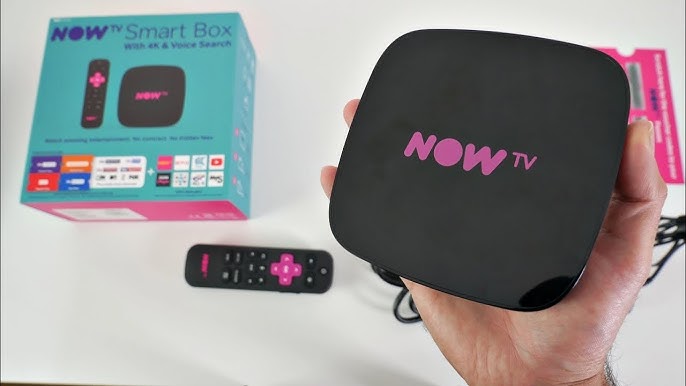
Step 1: Unboxing and Connecting Your Now TV Box
- Unbox your Now TV Box and locate the HDMI cable, power adapter, and remote control.
- Connect the Now TV Box to your TV using the HDMI cable.
- Plug in the power adapter and turn on your TV and Now TV Box.
Step 2: Connecting to Wi-Fi
- When the Now TV Box powers up, follow the on-screen instructions to connect to your Wi-Fi network.
- Enter your Wi-Fi password using the on-screen keyboard.
Step 3: Creating or Logging into Your Now TV Account
- If you’re new to Now TV, you’ll need to create an account. If you already have an account, simply log in.
- Follow the on-screen prompts to complete the account setup.
Step 4: Exploring Now TV Content
- Once logged in, navigate through the Now TV interface to explore the available content.
- Add your favorite channels, apps, or streaming services.
Tips for a Better Viewing Experience
- Regular Updates: Keep your Now TV Box updated for the latest features and security patches.
- Customize Your Interface: Organize your favorite apps and channels for easy access.
- Explore Additional Features: Discover additional features like parental controls and voice search for a tailored viewing experience.
Conclusion:
Your Now TV Box is now set up and ready to use. Dive into the world of endless streaming and enjoy your favorite content with ease. Remember, a little customization can go a long way in enhancing your viewing experience.
FAQs:
- Do I need a high-speed internet connection for Now TV Box?
- A stable and reasonably fast internet connection is recommended for smooth streaming.
- Can I watch live TV on the Now TV Box?
- Yes, the Now TV Box offers access to live TV channels, depending on your subscription and region.
- How do I update my Now TV Box? Updates are usually automatic. However, you can check for updates in the settings menu and update manually if needed.
Related Articles: